Embedding Server
A Lightweight Self Hosted Embedding Server
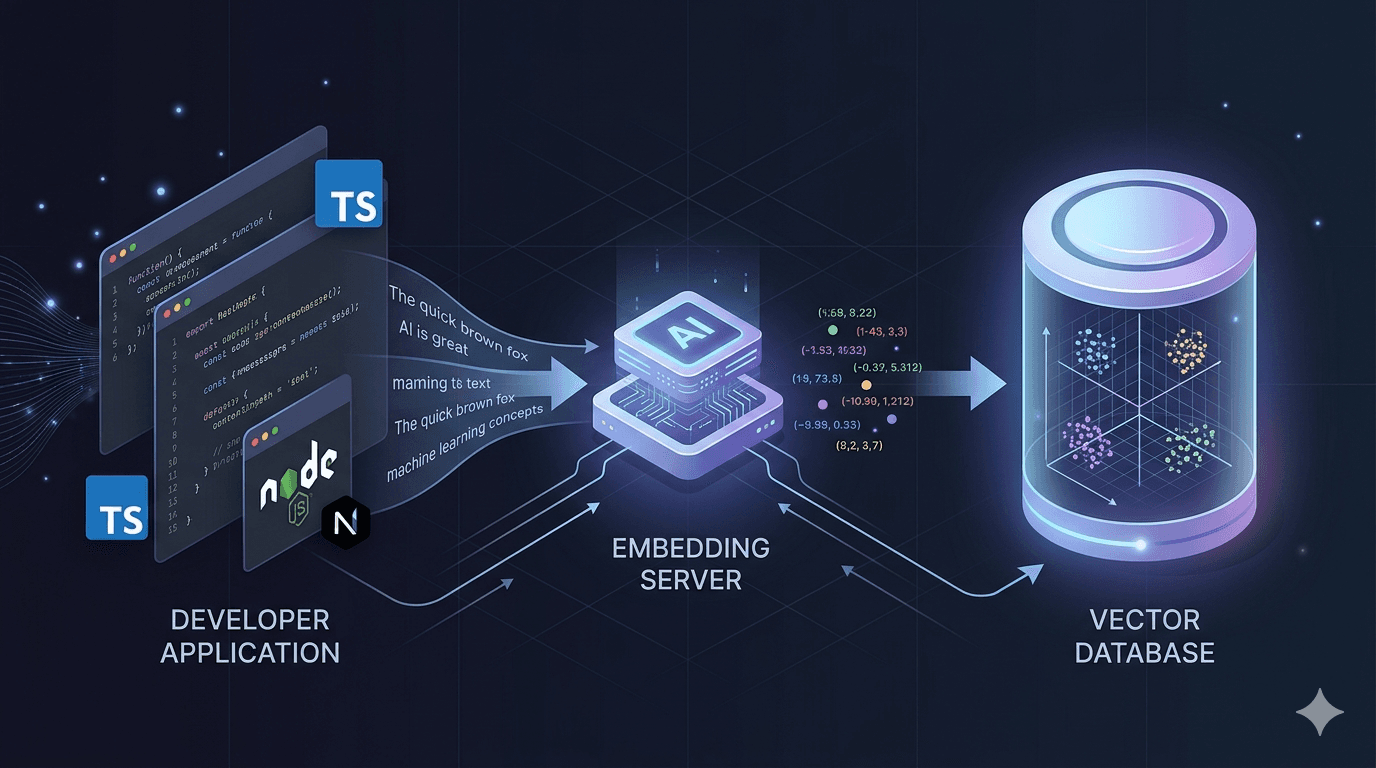
Modern AI applications rely heavily on embeddings.
They power many common capabilities such as semantic search, document retrieval, recommendation systems, and Retrieval Augmented Generation pipelines.
Today developers usually generate embeddings in one of three ways.
Some use managed APIs. Some run Python inference servers. Others rely on vector databases that include embedding modules.
All of these approaches work well depending on the situation. But while building a small AI project recently, none of them felt ideal for my setup.
So I built a small self hosted embedding server that any application can call through a simple API.
This article explains why I built it and how it works.
The Story Behind This Project
This project started while I was building a portfolio project exploring agentic AI workflows.
The stack looked like this:
- Next.js for the application
- LangGraph for orchestration
- Weaviate for vector storage
- LLMs for reasoning
To enable semantic search I needed embeddings.
Initially I used the text2vec module in Weaviate. It works well and is convenient because the database can generate embeddings automatically.
During development everything worked smoothly.
The issue appeared after deployment.
The server I deployed to had 16 GB RAM and was already hosting several small hobby projects. When the embedding model was loaded through Weaviate using Transformers, memory usage increased significantly.
At that point the database was responsible for two things:
- storing vectors
- running the embedding model
That was more infrastructure overhead than I actually needed.
At the same time, most standalone embedding services are built in Python. My project was mostly Node and TypeScript, so introducing another runtime just for embeddings felt unnecessary.
That led to a simple idea.
Embedding generation could be a small independent service that any application can call.
That idea eventually became this project.
Understanding Embeddings
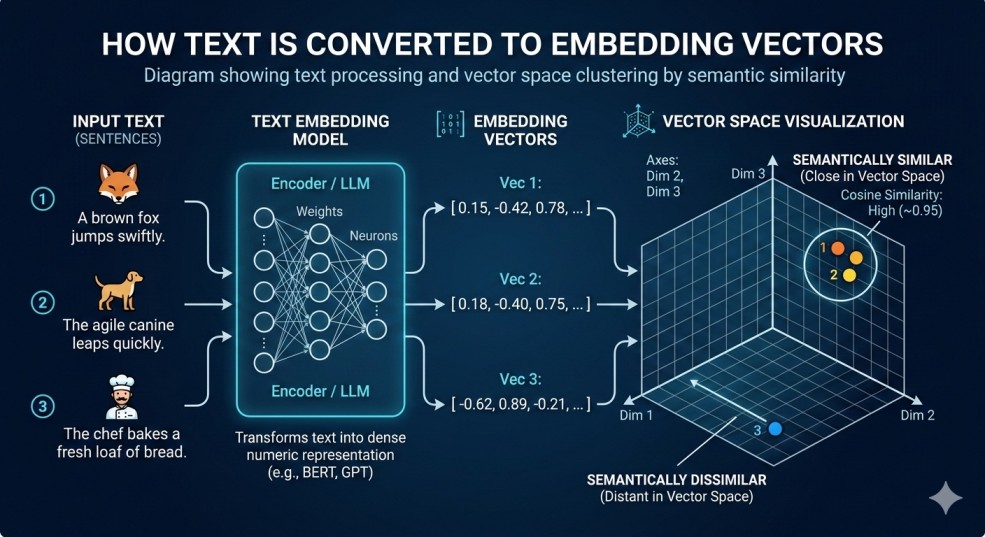
If you are new to embeddings, the concept can sound complicated, but the idea is simple.
Embeddings convert text into numerical vectors that represent meaning.
For example:
| Text | Meaning |
|---|---|
| How to cook pasta | cooking |
| Best pasta recipes | cooking |
| Install Node.js | programming |
Even though the words are different, embeddings allow machines to understand that the first two sentences are related.
These vectors allow AI systems to perform semantic similarity search.
Embeddings are used in many modern systems including:
- semantic search
- RAG pipelines
- recommendation engines
- document retrieval systems
The Architecture Idea
Many AI systems generate embeddings directly inside the vector database.
Typical setup:
Application
     |
     v
Vector Database
(with embedding model)
In this setup the database both stores vectors and runs the machine learning model.
That works well in many cases, but it also means the database must load and manage ML models.
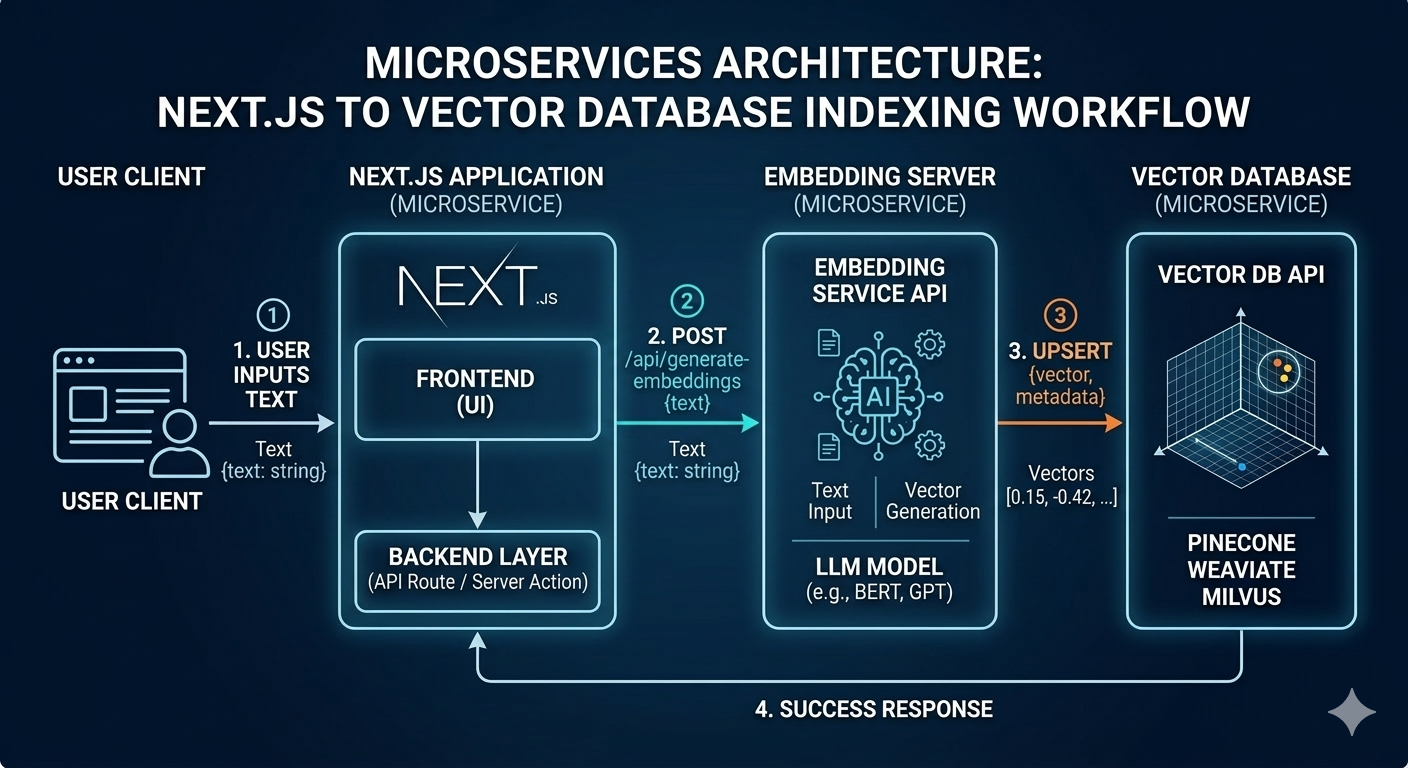
This project separates those responsibilities.
New architecture:
Application
     |
     v
Embedding Server
     |
     v
Vector Database
In this approach:
The embedding server focuses only on turning text into vectors.
The vector database focuses only on storage and similarity search.
Separating these responsibilities keeps the system simpler and more flexible.
Existing Options
Before building this project I explored several existing solutions.
Each of them has advantages depending on the use case.
Managed APIs
Examples include:
- OpenAI embeddings
- Cohere embeddings
Advantages
- extremely easy to start
- no infrastructure to manage
Limitations
- recurring API cost
- data must be sent to external services
Vector Databases With Built In Models
Examples include:
- Weaviate text2vec
- Qdrant inference
- Milvus embedding integrations
Advantages
- convenient integration
- fewer moving parts
Limitations
- database also runs model inference
- memory usage increases when models are loaded
Python Based Embedding Services
Examples include:
- HuggingFace Transformers
- sentence-transformers
- FastAPI inference servers
Advantages
- flexible ecosystem
- large collection of models
Limitations
- introduces another runtime if the main stack is Node
This project provides another option.
A small standalone embedding server that integrates easily with TypeScript applications.
Introducing the Embedding Server
The embedding server is a lightweight service that converts text into vectors using open source embedding models.
It exposes a simple HTTP API compatible with the OpenAI embeddings endpoint. Because of this, many existing AI frameworks can interact with it without modification.
The main goals of the project are:
- simple local deployment
- minimal infrastructure overhead
- easy integration with Node and TypeScript stacks
- support for multiple embedding models
Key Features
Self Hosted
The server runs entirely inside your infrastructure.
No external APIs are required.
This helps keep data private and avoids API costs.
Open Source
The project is fully open source and available on GitHub.
Developers can inspect the implementation, extend the functionality, or integrate it into their own workflows.
Container Based Deployment
The embedding server is available as a container image and can be started with a single command.
docker run -p 8000:8000 ghcr.io/abdullah85398/embedding-server:latest
Container image:
https://github.com/abdullah85398/embedding-server/pkgs/container/embedding-server
Because the service is containerized it can easily run in environments such as:
- Docker Compose
- Kubernetes
- local development environments
- self hosted infrastructure
Dynamic Model Loading
Models can be loaded when required and unloaded when idle.
Example configuration:
models:
  mini:
    name: all-MiniLM-L6-v2
    preload: true

  code:
    name: jinaai/jina-embeddings-v2-base-code
    preload: false
    idle_timeout: 300
This helps control memory usage while still supporting multiple models.
Optional Caching
Embedding generation is deterministic.
The same text will always produce the same vector.
Because of this, caching can significantly reduce repeated computation.
The server supports:
- in memory LRU cache
- optional Redis cache
This is particularly useful for RAG pipelines where documents may be embedded multiple times.
OpenAI Compatible API
The server exposes an API compatible with the OpenAI embeddings endpoint.
This allows easy integration with common AI frameworks such as:
- LangChain
- Vercel AI SDK
- OpenAI compatible clients
- custom TypeScript applications
How to Use the Embedding Server
Running the server locally takes only one command.
Start the container:
docker run -p 8000:8000 ghcr.io/abdullah85398/embedding-server:latest
Once running, the server exposes an embeddings API.
http://localhost:8000/v1/embeddings
Applications can now send text to generate vectors.
Example Request
Here is a simple TypeScript example.
const res = await fetch("http://localhost:8000/v1/embeddings", {
  method: "POST",
  headers: {
    "Content-Type": "application/json"
  },
  body: JSON.stringify({
    model: "mini",
    input: "example text"
  })
})

const { data } = await res.json()
The response contains the embedding vector that can be stored in any vector database such as Weaviate, Qdrant, or Milvus.
When This Architecture Makes Sense
This approach is useful when you want to:
- run open source embedding models locally
- keep embedding inference separate from vector storage
- build AI systems using Node or TypeScript
- experiment with multiple embedding models
- keep infrastructure simple
It is particularly helpful for self hosted AI systems, prototypes, and personal projects.
Repository
GitHub repository https://github.com/abdullah85398/embedding-server
Container image https://github.com/abdullah85398/embedding-server/pkgs/container/embedding-server
This project started as a small weekend experiment but may continue evolving as new features and improvements are added.
If you find it useful, feel free to explore the repository, open issues, or star the project.
Comments (0)
No comments yet. Be the first to share your thoughts!